

Before You Start
In order to use Agd Ejar’s APIs, make sure you already have:- Commercial registration (CR) issued by ministry of commerce (CR).
- Your CR included activity code 682010 (Real Estate Brokerage). read more
- FAL lisance from REGA. read more
- An active account in Ejar.sa.
- An active account with us at Agd Ejar 😊
Enabling ECRS
To create an account with Agd Ejar, first you need to enable “External Contract Registration Service” (ECRS) for your Ejar’s account, to do so please contact us at b2b@agd.sa with the following information:- Admin’s ID number (must be a Saudi & has Nafath access)
- Saudi Commercial Registration (PDF)
- Saudi Mobile Number
- Email Then we will send your information to Ejar to to request enabling ECRS for your account.
It might takes ~ 3 - 7 business days to enable ECRS for your account by Ejar’s team.
ECRS credentials
Once ECRS is enabled, login into your Ejar account then click on your name in the top right corner and select “Manage Office”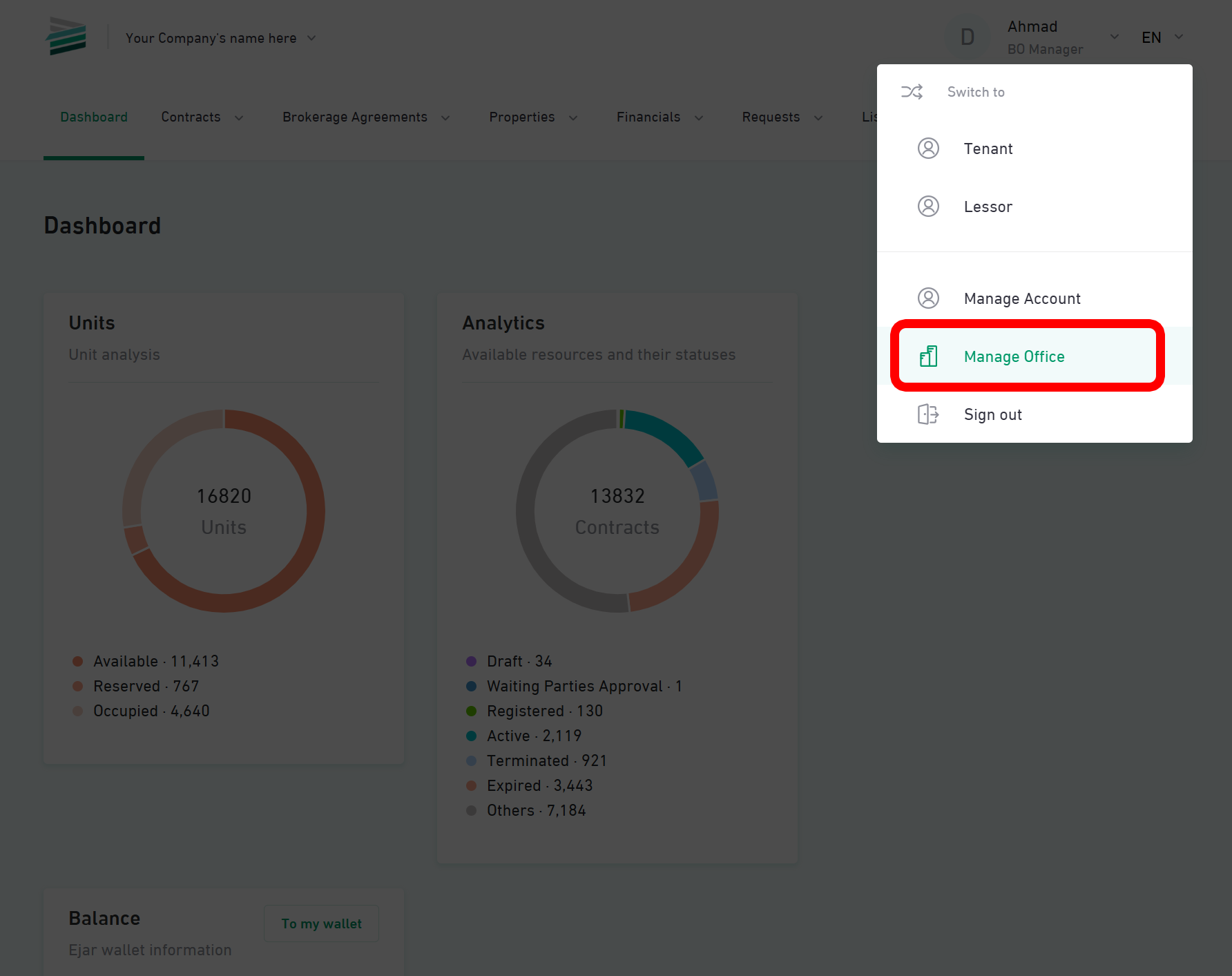
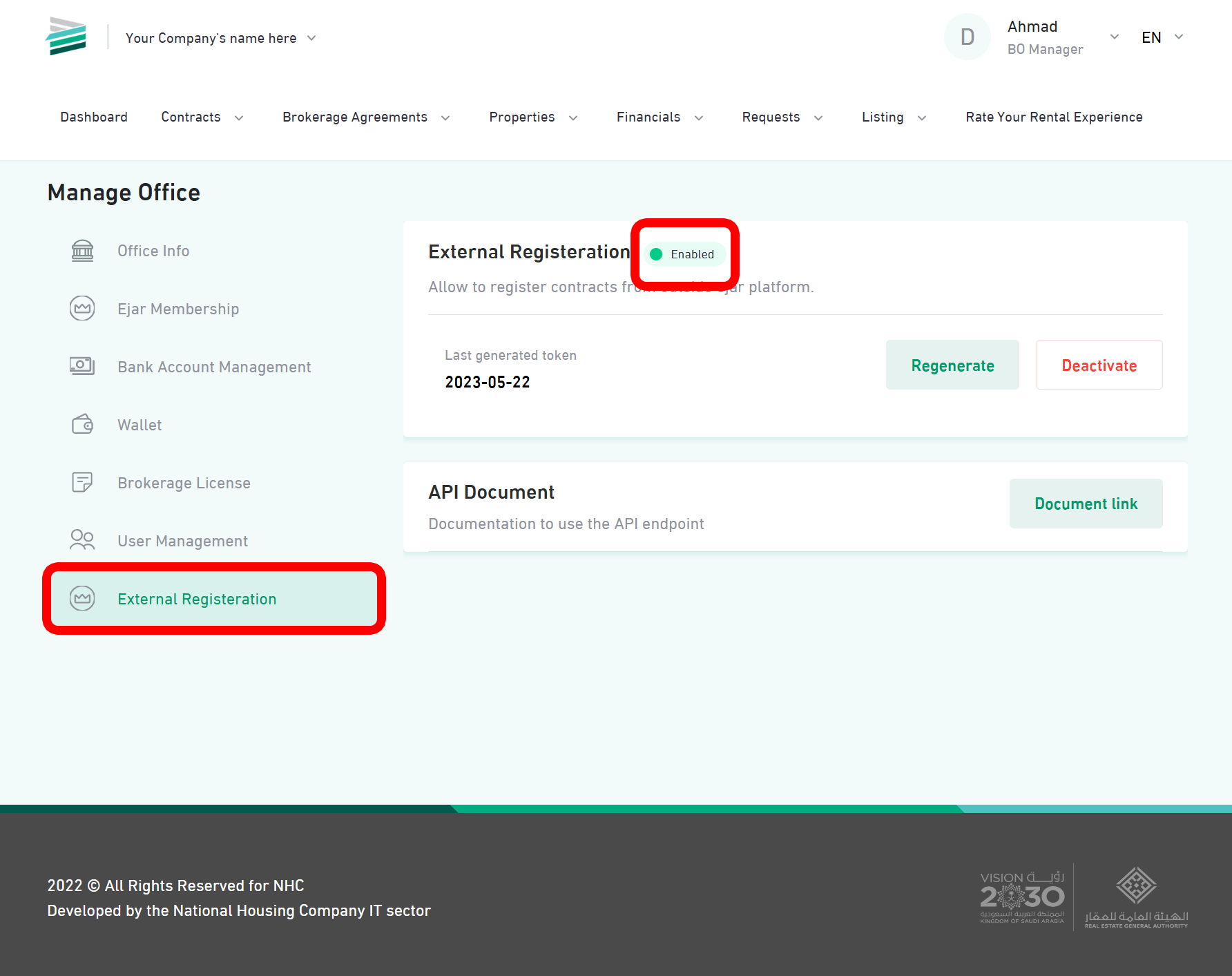
Integration Steps
Follow these steps to quickly integrate with Agd Ejar API.1. Get Your Credentials
Obtain API Credentials
Obtain API Credentials
- Contact our support team at b2b@agd.sa
- Provide your organization details
- Receive your
client_idandclient_secret
Test Authentication
Test Authentication
Once you have your credentials, test the authentication:
2. Explore the API
Try Postman Collection
Try Postman Collection
- Access our Postman Collection
- Import the collection into your Postman
- Set up your environment variables
- Test different endpoints
Review Examples
Review Examples
Check our code examples in multiple languages:
Essential Integrations
Start with these core features to get your integration running.Property Management
Learn how to manage properties and units
Contract Operations
Start creating and managing contracts
Party Management
Handle tenant and owner information
Authentication
Set up secure API authentication
Best Practices
Follow these guidelines for successful integration:Error Handling
Implement proper error handling and retries
Rate Limiting
Understand and respect API rate limits
Status Monitoring
Monitor API status and uptime
Support
Get help when you need it
Next Steps
Read the Documentation
Read the Documentation
Review our detailed API Reference for comprehensive endpoint documentation.
Handle Common Issues
Handle Common Issues
Check our FAQ and Troubleshooting Guide for solutions to common problems.
Monitor Status
Monitor Status
Keep an eye on our Status Page for real-time API status updates.